Everything you need to protect your food margins
A focused COG calculator for coffee shops, cafés, and restaurants — AI invoice and recipe import, live margins with price alerts, prep batching, shift checklists, and a cost-free staff recipe book. No spreadsheet pain.
Recipe costing
Import your whole menu at once — or build it recipe by recipe
Paste in your existing recipes from any file — a PDF, a Google Doc, whatever you already have. AI extracts every recipe, ingredient, and quantity and builds the structure for you. Your entire menu is costed before you'd finish entering the first recipe by hand. Or build manually if you prefer; either way, sub-recipe costs cascade automatically.
- Import a full recipe book from any text or PDF file
- AI extracts recipes, ingredients, and quantities automatically
- Menu items and prep recipes with yield-based costing
- Cost per serving, per batch, and margin % per recipe
Ingredient tracking
One source of truth for what you actually pay
Track every ingredient's purchase price, quantity, and unit. When a supplier raises prices, update once — every recipe using that ingredient recalculates immediately. Custom unit conversions (pumps, scoops, shots) keep recipes in the units your team actually uses.
- Purchase price, quantity, and unit per ingredient
- Custom conversions like 1 pump = 0.33 fl oz
- Category organization for fast lookup
- Price history through invoice imports
Margin analysis
See your blended margin before it becomes a problem
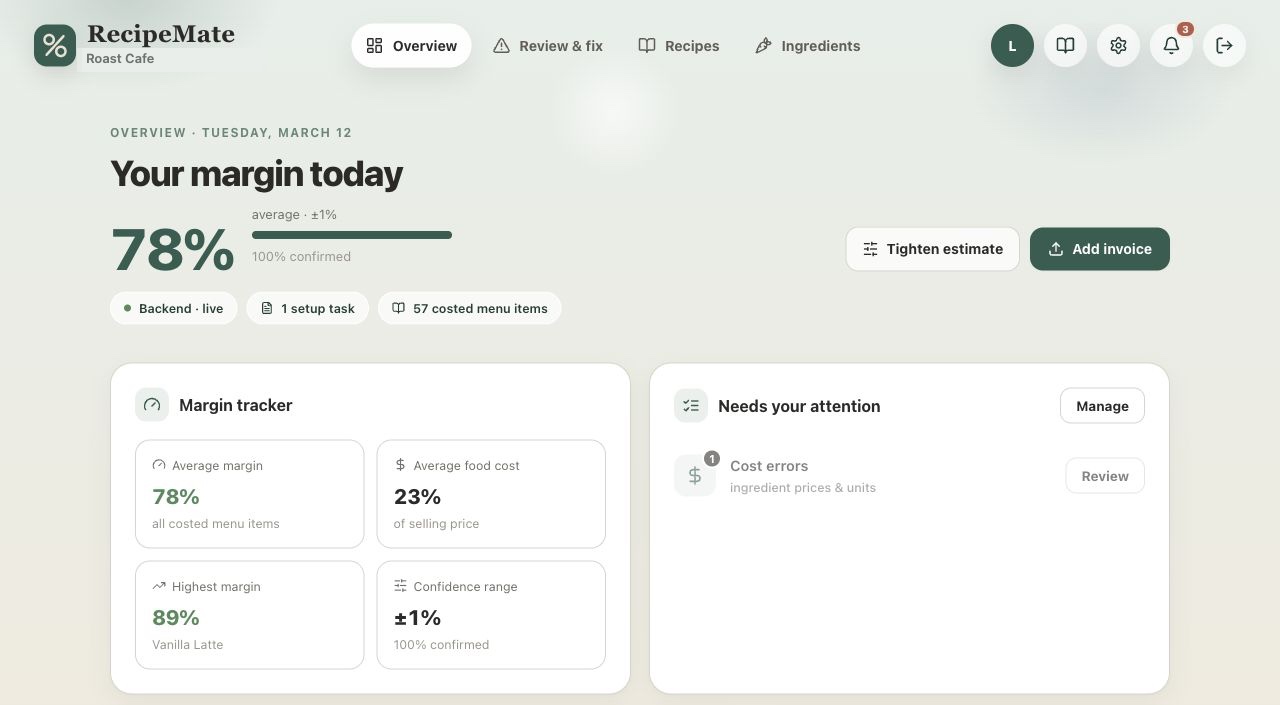
The dashboard shows your blended menu margin, the recipes dragging it down, and which items are below target. Set a target margin in settings and spot drift early — when ingredient prices creep up, you'll know which menu prices need attention.
- Blended margin across the whole menu
- Per-recipe margin vs. your target
- Items flagged when data is incomplete
- Margin updates live as prices change
Price history & alerts
Catch the price increase the week it happens
Every invoice import writes to an ingredient's price history, so you can see the trend instead of just today's number. When a cost rises, RecipeMate recalculates every recipe that uses it and surfaces the ones that slipped below your target margin — a heads-up to reprice before it quietly eats a month of profit.
- Full price history per ingredient, built from your invoices
- Recipes re-costed automatically when a price moves
- Below-target items flagged so you can reprice in time
- See cost-over-time on every recipe, not just the latest
Shift checklists
Opening, closing, and prep routines your team finishes
Build role-based checklists with start and due times — daily, weekly, monthly, or a custom repeat. Staff see what's running now, check items off with their name attached, and get reminded before the shift ends. Managers get a record of what got done without hovering.
- Role-based checklists with start and due times
- Daily, weekly, monthly, or custom repeat schedules
- Live reminders when a checklist opens and before it's due
- Every task stamped with who completed it and when
Employee recipe book
A staff recipe book created from your approved recipes
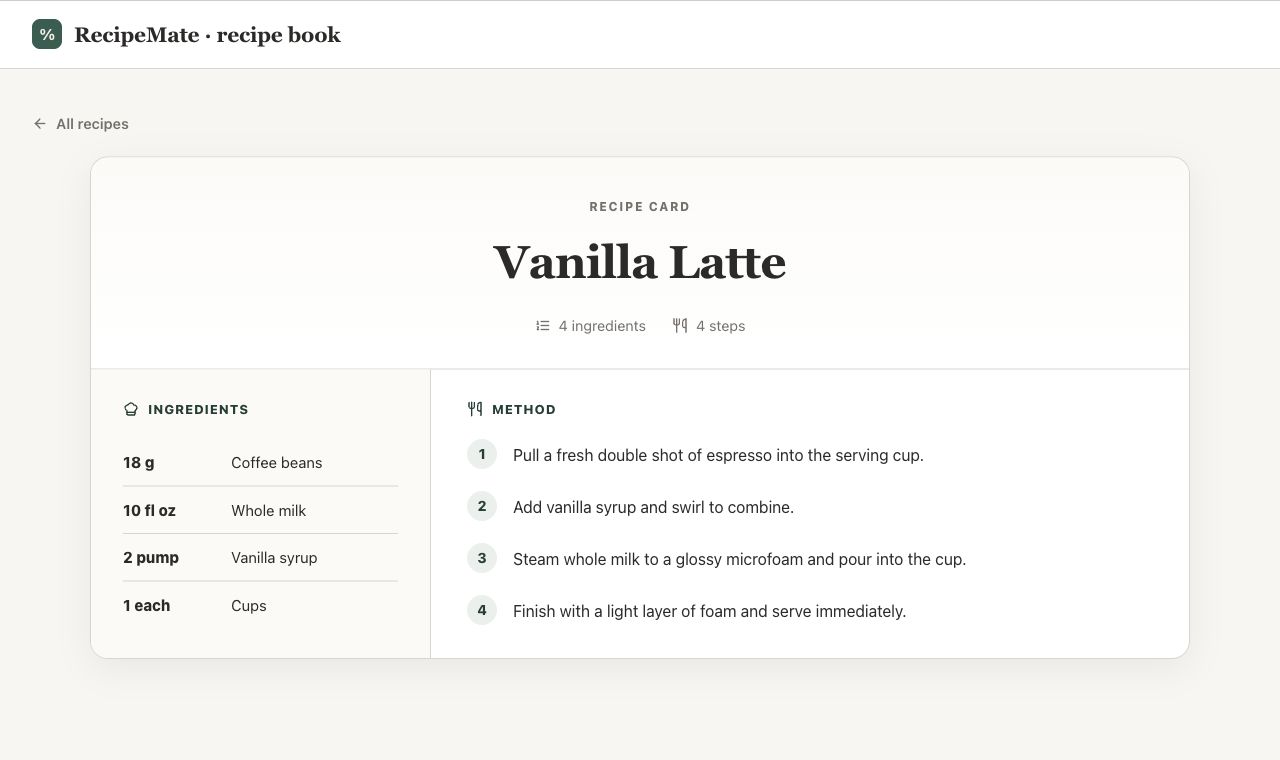
The same recipes managers maintain for costing become a searchable employee view with ingredients, build steps, prep notes, and no private cost data. Staff can look up drinks, food, syrups, sauces, and prep recipes during service or training.
- Search by recipe, ingredient, or prep item
- Approved instructions without cost data
- Works for service, prep, and training
- Role-based access for staff and managers
Prep batching
Scale syrups, sauces, prep mixes, and batch recipes
Prep teams can choose a target yield or batch size and RecipeMate recalculates ingredient quantities automatically. Managers maintain the original recipe once; staff use it safely at the quantity they need.
- Scale by target yield or quantity
- Useful for syrups, sauces, concentrates, and prep mixes
- Clear ingredient quantities for each batch
- Built from the same recipe costing data
Invoice import
What used to take 3 hours takes 5 minutes
Paste a supplier invoice or upload a PDF. AI reads every line — "Oatly Oat M!lk 1L × 12 = $24.90" — and recognizes it as your existing "Oat milk" ingredient, even when the supplier name looks nothing like what you called it. Price updates are queued in a review table. You scan, confirm, move on. New ingredients you don't have yet get created automatically with sensible categories and units.
- Paste text or upload PDF invoices from any supplier
- AI matches line items to your ingredient names — handles name variations
- Bulk price updates in one confirm step
- New ingredients created automatically with categories
Setup assistant
Fix data gaps in batches, not one at a time
The Review & fix page groups setup problems by root cause — one missing conversion often blocks a dozen recipes. The conversion wizard proposes fixes from a built-in density library with AI fallback, and a bulk pricing grid lets you fill missing purchase data in one pass.
- Problems grouped by root cause and impact
- Conversion suggestions you just approve
- Bulk pricing grid for missing purchase data
- Blockers separated from minor pricing gaps
Team access
Give your team recipes, keep control of costs
Admins manage ingredients, recipes, and pricing. Employees get a clean recipe book view — instructions and build steps without cost data. Invite teammates by email, change roles, and remove access anytime. Every organization's data is fully isolated.
- Admin and employee roles
- Employee recipe book without cost data
- Email invitations with secure links
- Complete data isolation per organization
Ready to know your real margins?
Free while we onboard our first shops. Set up your first recipes in minutes.
Apply for beta access